A standard Zethus installation includes a command line utility for managing the container, setting up virtual networks and viewing the status of Zethus. For information on viewing the status of your Zethus container, see How to Check the Status of Your Zethus Application.
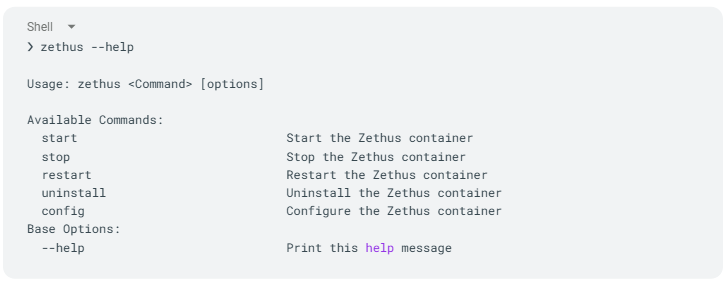
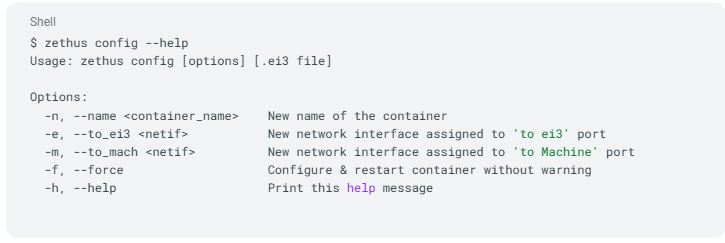
$ zethus config – Configure Settings – Based on the options given, this will alter how the container is set up.
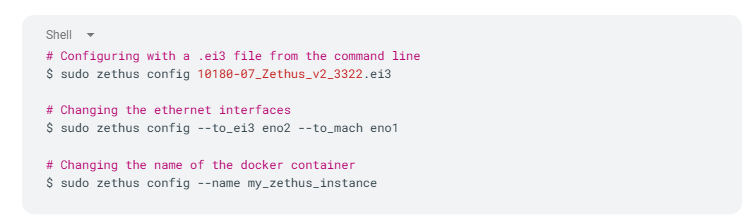
Usage Examples:
$ zethus start – Start or Create a Zethus instance – If a stopped Zethus instance exists on the system, start it. If there is no Zethus container, create a new one with the given options.
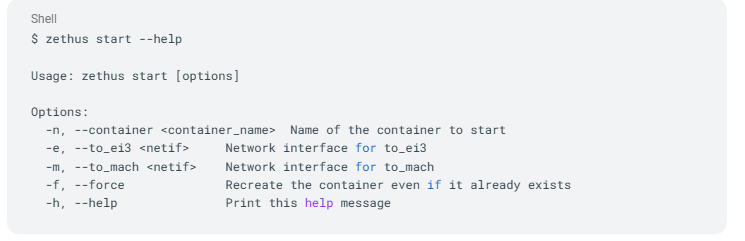
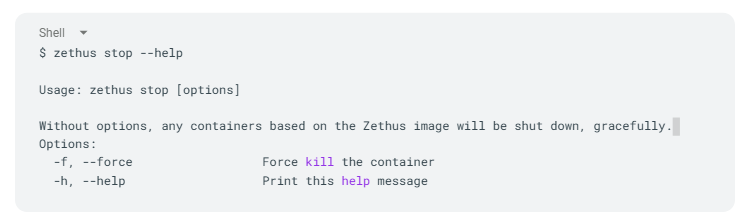
$ zethus stop/restart – Application Control – If there is a running Zethus container on the system, stop or restart, respectively.
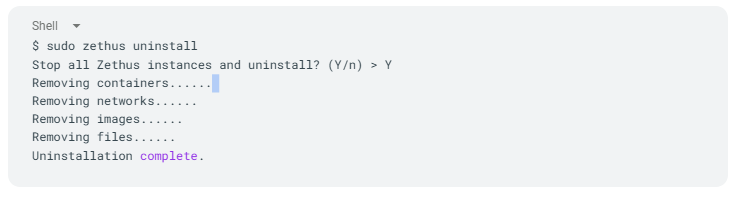
$ zethus uninstall – Uninstallation – Run the uninstaller to completely remove the Zethus container, udev rules, systemd services and Docker image all associated with Zethus. This will restore the system to a state before Zethus was installed. Docker engine and its components will not be removed.