
In some instances, Zethus can be installed inside PLC or IPC devices themselves, given their hardware and software are compliant with the minimum specifications. This allows Zethus to collect data, or remotely service the PLC without the use of a standalone edge device acting as the red box.
Here are the steps to start local data collection:
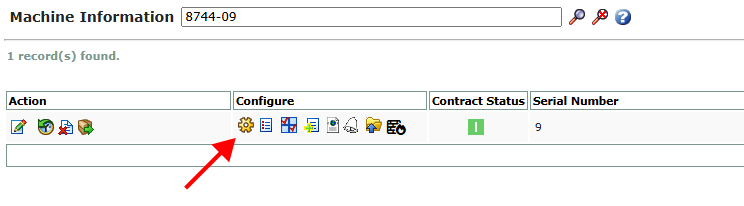
- From the Admin->Machines page, select the Devices icon.
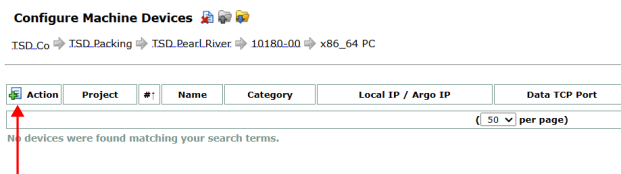
- Create a new device.
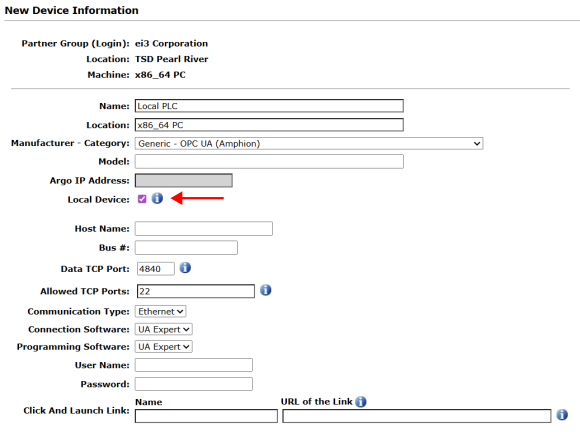
- In the configuration screen, select “Local Device” instead of inputting an IP address.
- This option will only be available if the “Zethus” amphion type is being used in the Machine configuration.
- Create a new configuration file and reconfigure the Zethus container
- Add data points, using this new device as the data source. Start data collection like normal.
