Purpose:
This guide explains how to create & download a configuration file at network or machine level
For Green or Black Box
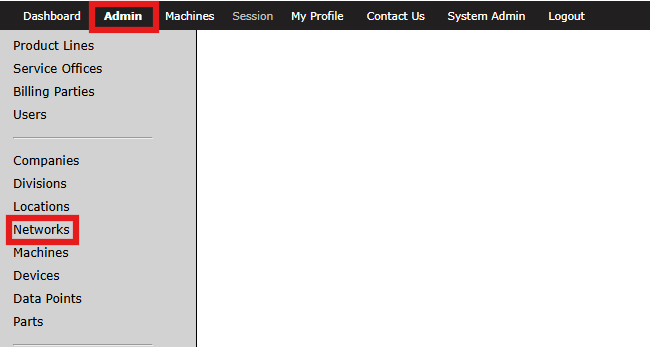
Step 1a: Access Admin Portal
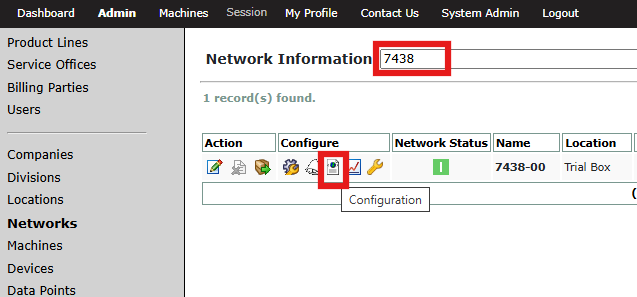
- Go to admin portal and navigate to the Networks section
For Red Box
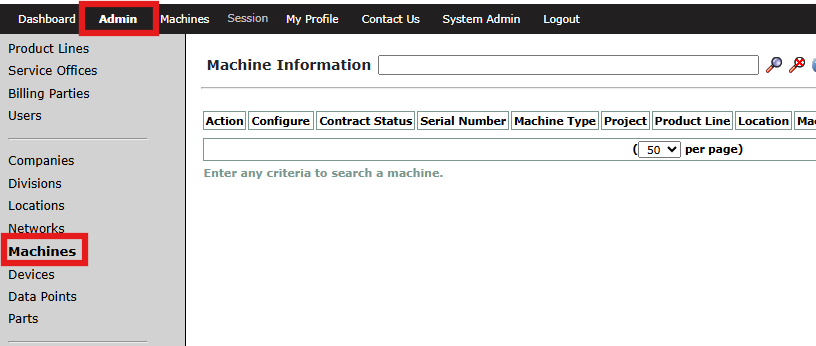
Step 1b: Access Admin Portal
- Go to admin portal and navigate to the Machines section
Step 2: Configuration
- Search for a specific machine and click the configuration button under configure tab
Step 3: New Configuration File
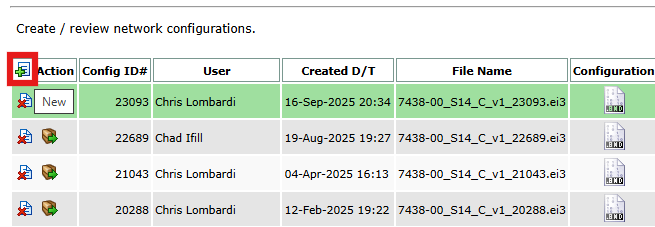
- Click on a New button to create a new configuration file
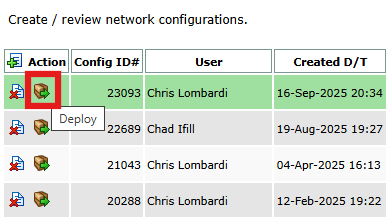
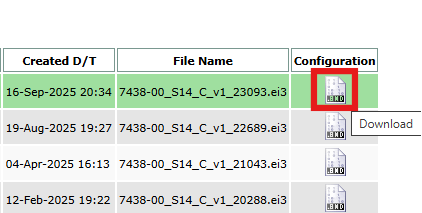
Step 4: Deploy or Download
- To deploy the file directly to Amphion, click deploy under Action. For more information, see this article.
- To download the file, click the download button under configuration