
A test frequency tells QUALITY when a test on a Quality Form is due. When a job runs with that form, QUALITY creates a test group for the operator each time the frequency comes round. Test groups appear on the Quality Job Runs page and in the operator tablet application.
To manage frequencies, open the Frequencies page in the QUALITY administration pages (the same area as Quality Forms) and click the add icon, or click the edit icon on an existing frequency.
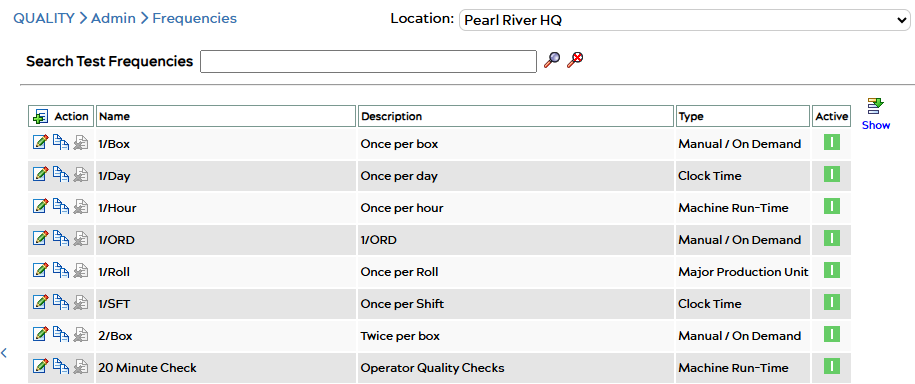
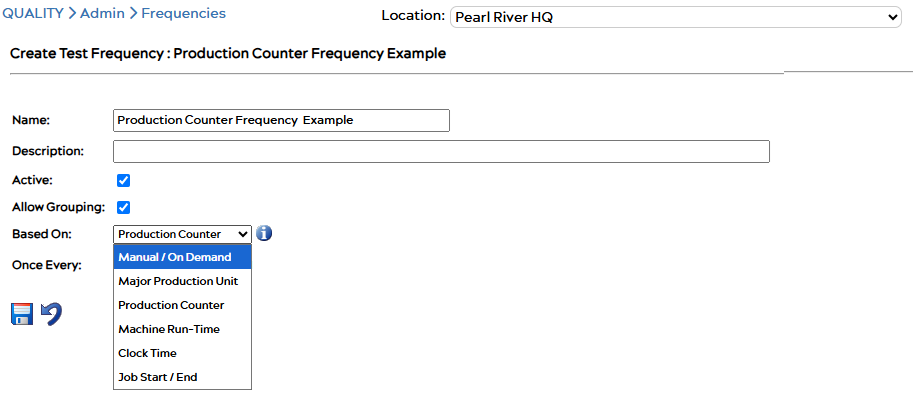
Frequency settings
|
Setting |
Meaning |
|---|---|
|
Name |
Shown on the Quality Form and in reports. |
|
Based On |
What the frequency counts. See the types below. |
|
Once every |
How much of that count passes between tests. For Machine Run-Time and Clock Time this is an amount plus a unit: minutes, hours, days, weeks or months. |
|
Allow Grouping |
When on, tests from different frequencies with the same Based On and Once every values share one test group. When off, this frequency always gets its own group. |
|
Active |
Inactive frequencies stay on existing forms but cannot be added to new ones. |
A frequency cannot change its Based On type once a Quality Form uses it.
Frequency types (Based On)
Manual No automatic test groups. The operator or supervisor creates test groups by hand.
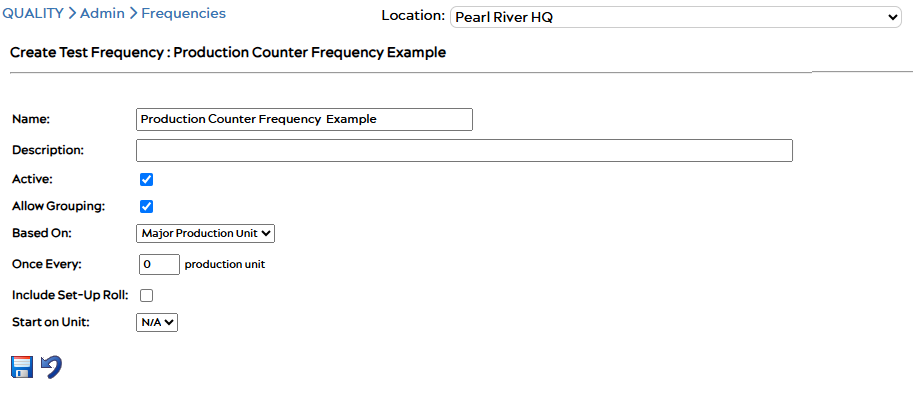
Major Production Unit Counts finished units: rolls, lifts, boxes or pallets. “Once every 5” means every fifth finished unit. Each test group belongs to a specific unit, so the operator tests that physical item.
- The machine must have a Major Production Unit detection method set on its Edit Machine page (for example Current & Previous Roll Lengths or Splice Counter). If it is set to None / Exclude, no test groups are created.
- Two extra options: Include Set-Up Roll adds a test group for the first roll of the job, and Start on Unit sets which unit the count begins from.
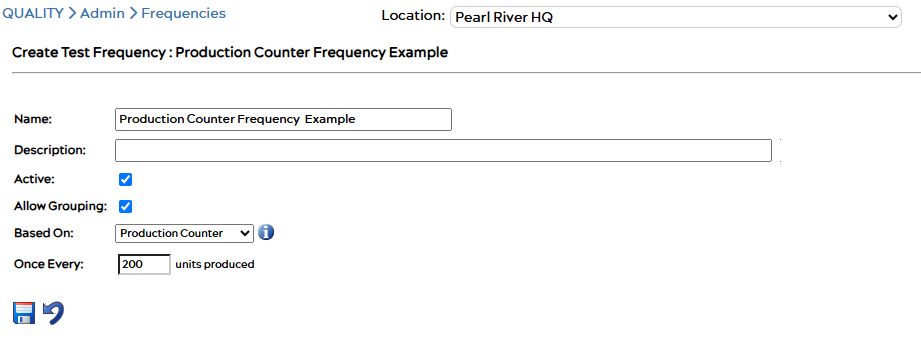
Production Counter Counts the amount of material the machine has produced, in the unit the machine’s total material data point reports. On a lime kiln that is tons, so “Once every 200” means a test each time another 200 tons have been produced. On a press the same data point is in feet, so “Once every 200” would mean every 200 feet. The test group covers the period of time it took to produce that amount.
- Use this for continuous processes that never finish a discrete item, such as a kiln, or when tests are due by length or weight rather than by roll.
- The machine only needs its total material data point configured. No Major Production Unit method is required. If the machine has no total material data point, the frequency never creates a test group and no warning is shown.
- Production is checked every five minutes. Counting starts when the job run starts, or when the Quality Form was added to the job if that was later. A form added to a job that has been running for weeks does not create test groups for production before it was added.
- The value can be up to 999,999. An info icon next to the dropdown explains this on the edit page.
Machine Run-Time Counts the time the machine has been running, not paused or stopped. “Once every 2 hours” means a test after every two hours of actual running time.
Clock Time Counts wall-clock time since the job started, regardless of whether the machine is running. “Once every 8 hours” means a test every eight hours on the clock.
Job Start / End One test group at the start of the job, at the end, or both.
Choosing between Major Production Unit and Production Counter
Both create a test “every N of something”. The difference is what is counted.
|
You want a test |
Choose |
|---|---|
|
Every Nth roll, lift or pallet, and the operator tests that item |
Major Production Unit |
|
Every N feet, tons or impressions, wherever that falls |
Production Counter |
Example on a press making 20,000 ft rolls:
|
Setting |
Test happens |
|---|---|
|
Major Production Unit, once every 5 |
Every fifth roll (about every 100,000 ft) |
|
Production Counter, once every 30,000 |
Every 30,000 ft, part way through a roll if that is where it falls |
|
Production Counter, once every 5 |
Every 5 ft. Almost certainly not what you want |
If a machine counts in small units such as feet, a low Production Counter value creates a test group every few seconds. Check the machine’s production unit on its Edit Machine page before saving.
Related
- Quality – Overview
- QUALITY – Material Review
- Editing Machine Details (Major Production Unit method and production units)
